Flashbang Shield
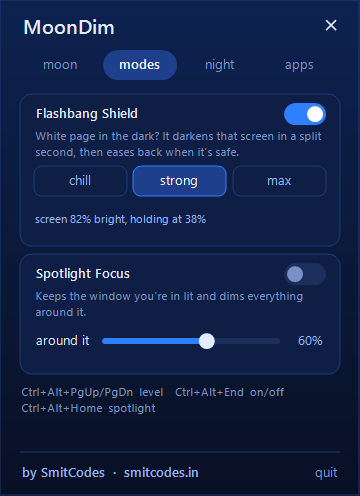
A white page in the dark? MoonDim darkens that screen in a split second, then eases back. You might still catch a tiny blink first.
Spin the moon to dim your screen past its hardware limit, down to 5%. Clicks pass straight through, and your screen goes back to normal when you quit.
Version 2.0.0 · 2.3 MB · Windows 10 and 11 · No admin rights needed
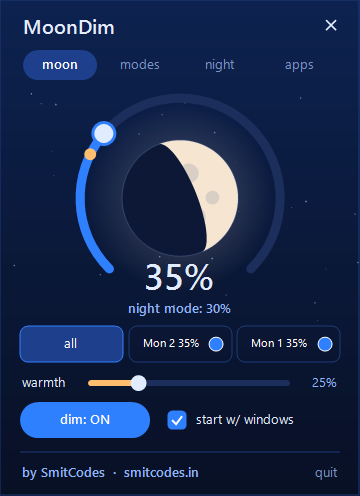
A white page in the dark? MoonDim darkens that screen in a split second, then eases back. You might still catch a tiny blink first.
Keeps the window you're in lit and dims everything around it.
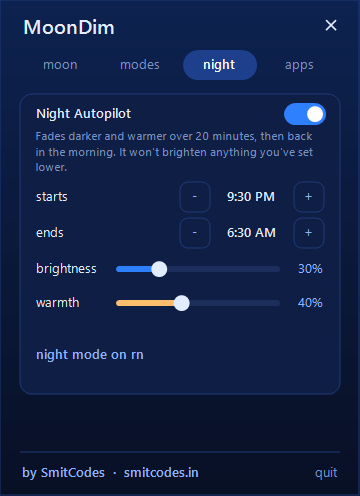
Fades darker and warmer on your schedule, then back in the morning.
Takes the harsh blue-white edge off your screen.
Give each monitor its own brightness, or switch one off.
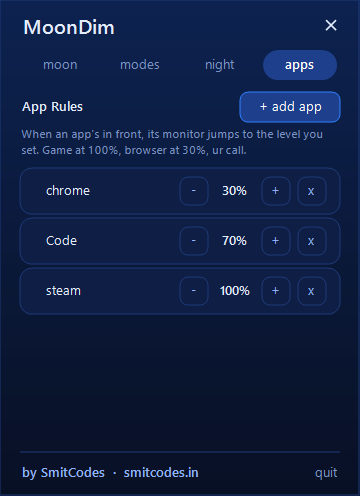
Game at 100%, browser at 30%. MoonDim switches when you switch apps.
Here's exactly what it does, and the warning you might see.
Read the full privacy policy.
Browsers and Windows warn about apps from new publishers, and MoonDim isn't code-signed yet. Not comfortable continuing? Totally fair, you don't have to install it.
"Isn't commonly downloaded" in Edge: open the ... menu on the download, choose Keep, then Show more and Keep anyway.
"Windows protected your PC": click More info, then Run anyway.
To check your download matches, compare its SHA256 hash with this one:
181bbcde42c4dcc9207aaaa41ebbea31e4fdf7619cc448a4720a0026c9e6d4dc